
Inference Scaled #1 - Pets and Codex Chats
Every week I curate the latest updates for all things OpenAI for Business. Level up your OpenAI skills at work by subscribing!
Top Product Updates
ChatGPT gets smarter

A few hours after Sam’s cryptic tweet, ChatGPT drops the latest news that it’s rolling out 5.5 instant throughout ChatGPT. We were mostly on 5.3 instant before, but it’s nice to see the latest model be pushed as the default. In short, your day to day work chats have just become smarter! And coincidentally, released on “5.5” otherwise known as Cinco de Mayo 🤣
Make your pet in Codex

This came out late last week, but was a nice little add to your Codex experience. You can quickly enable the default pet with the /pet command, and you’ll get a little sprite that gives you feedback and status of your various chats in Codex. There’s also a Skill (Plugins>Skills) you can install called “Hatch Pet” if you want to create your own! I have mine hanging out at the bottom of the second monitor to keep me updated.
Best Practice of the Week
This is one of Codex’s best improvements as of late. If you haven’t been doing this already, you can start chats that don’t require a project—essentially using Codex more like ChatGPT:
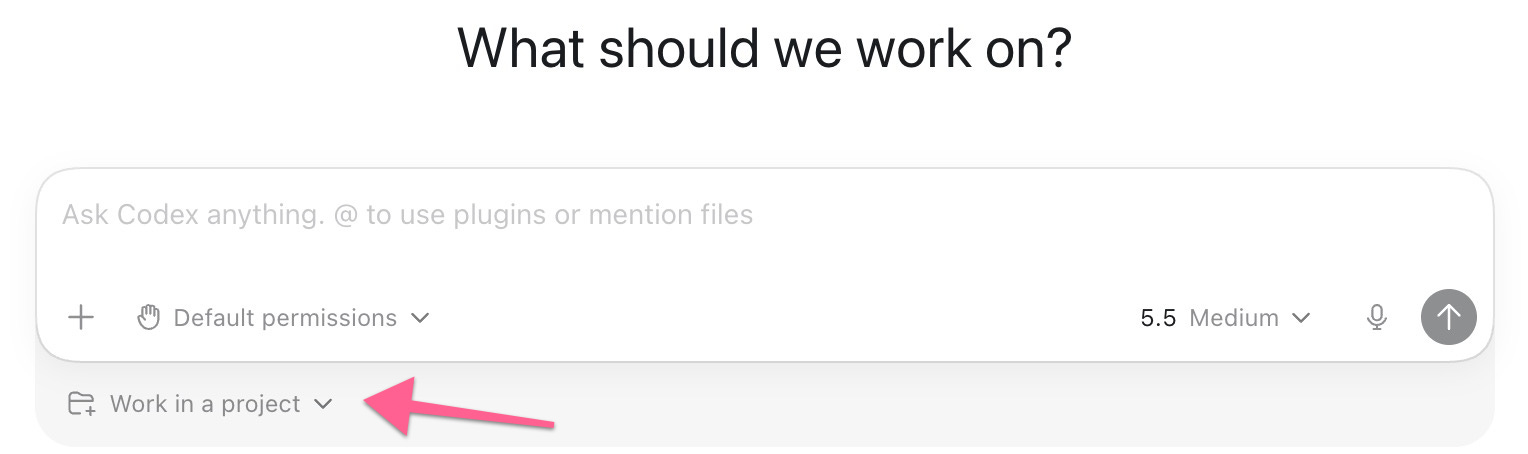
Personally, I’ve been moving more and more chats from ChatGPT into Codex, mostly so that I don’t have to switch between apps. The only downside is that I don’t believe any context is shared between the apps (yet); however, the upside is that Codex can do more powerful things than ChatGPT at the moment, like computer use.
Previously, you’d have to create a “fake” project to get this functionality to work—glad to see OpenAI not require this anymore!
If you squint at it, you can see Codex and ChatGPT functionality converge more and more, so we’ll see where they go….
Demo of the week
We are turning our attention to Codex Automations this week! If you haven’t taken full advantage of Automations, you’re missing out. My favorite use cases for automations are for non-technical tasks: researching competitors, staying up to date on topics I care about, or daily productivity summaries. Check out this 3 minute demo to catch the latest.